


How Scribd handles privacy and personal information
We've noticed more questions recently about how personal information works on Scribd, and we want to make sure the answers are clear and easy to find. Consider this your guide to our policies, your controls, and how to keep your information safe.
What content does Scribd prohibit?
Our Community Rules outline the limits we place on content our members can upload, including personal information.
Scribd strictly prohibits the unauthorized posting of personal information. Our Global Terms of Use explicitly state that users may not upload content that violates the privacy rights of others, even if that information appears elsewhere online or is considered "publicly available." Uploading someone else's personal information without their authorization is a violation of our rules, and we treat it as such.
How uploaded documents work on Scribd
Scribd is a platform where people from all over the world can upload and share their own content. By uploading a document, you agree to our Uploader Agreement, which makes clear that other users can access and download your content.
This is intentional: sharing knowledge is intentional to Scribd’s mission. But it means that what you upload matters.
How to keep your information private
- Don't upload documents containing sensitive personal information. Bank statements, government IDs, financial records, medical documents, private messages, and similar materials should not be uploaded to a public platform unless it is your information and you specifically intend to share it with the public, or it is appropriately redacted. When in doubt, don't upload it.
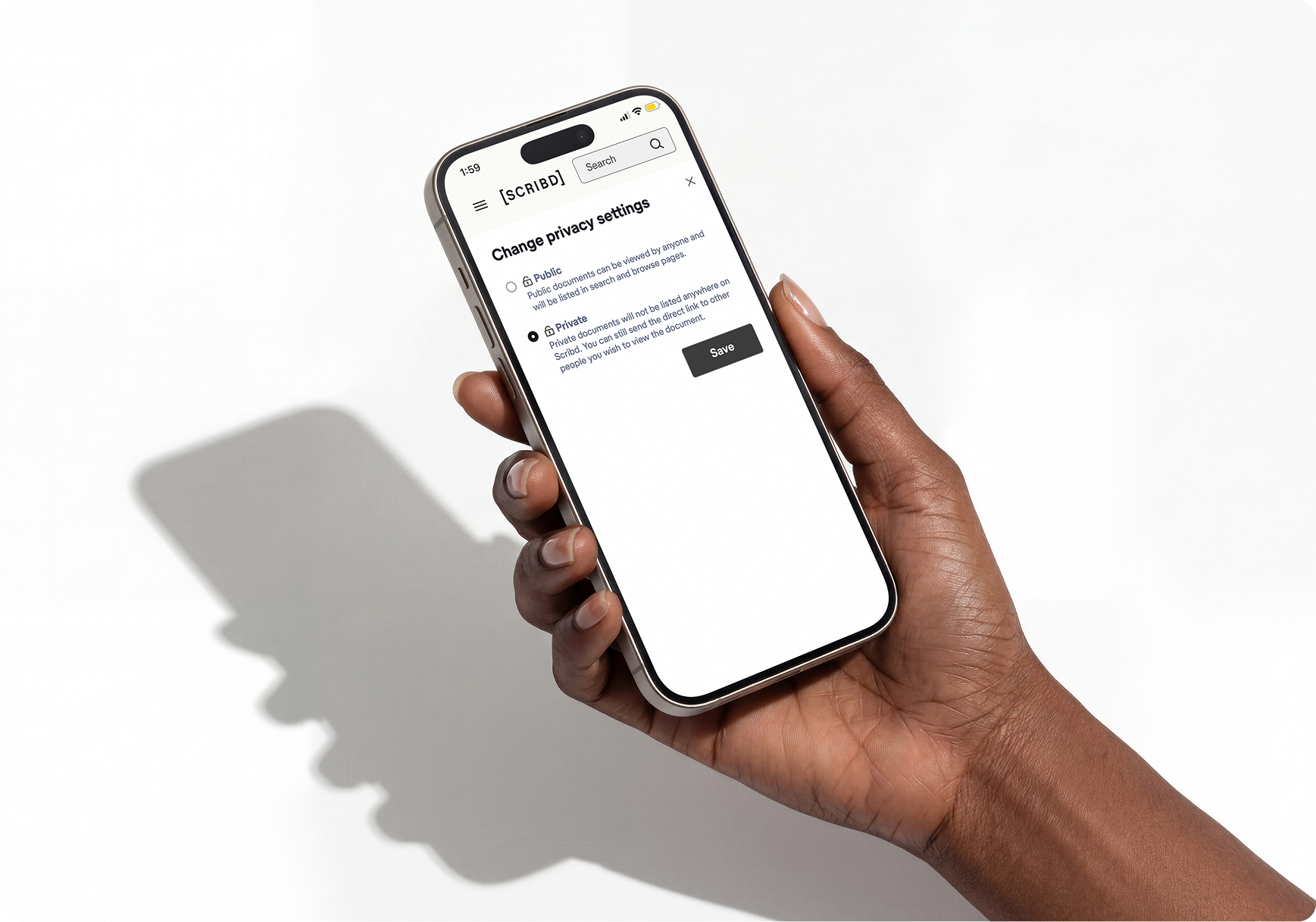
- Make your document private. While you are uploading and at any time afterward, you can change your document's visibility to private. Private documents are only viewable by you and anyone you explicitly share a secure link with. It won’t appear in Google, Scribd search, or other search results.
- Never share your account credentials. Your login information is yours. Sharing it gives others access to your account and everything in it.
How to change a document’s privacy settings
If you are in the process of uploading a document, check the box next to “make this document private.” This will keep the document private as soon as the upload is complete.
If your document is already uploaded:
- Log in to your scribd.com account.
- Navigate to your document uploads to see a list of all your documents.
- From the document list, click the lock icon on the right side to instantly make your document private.
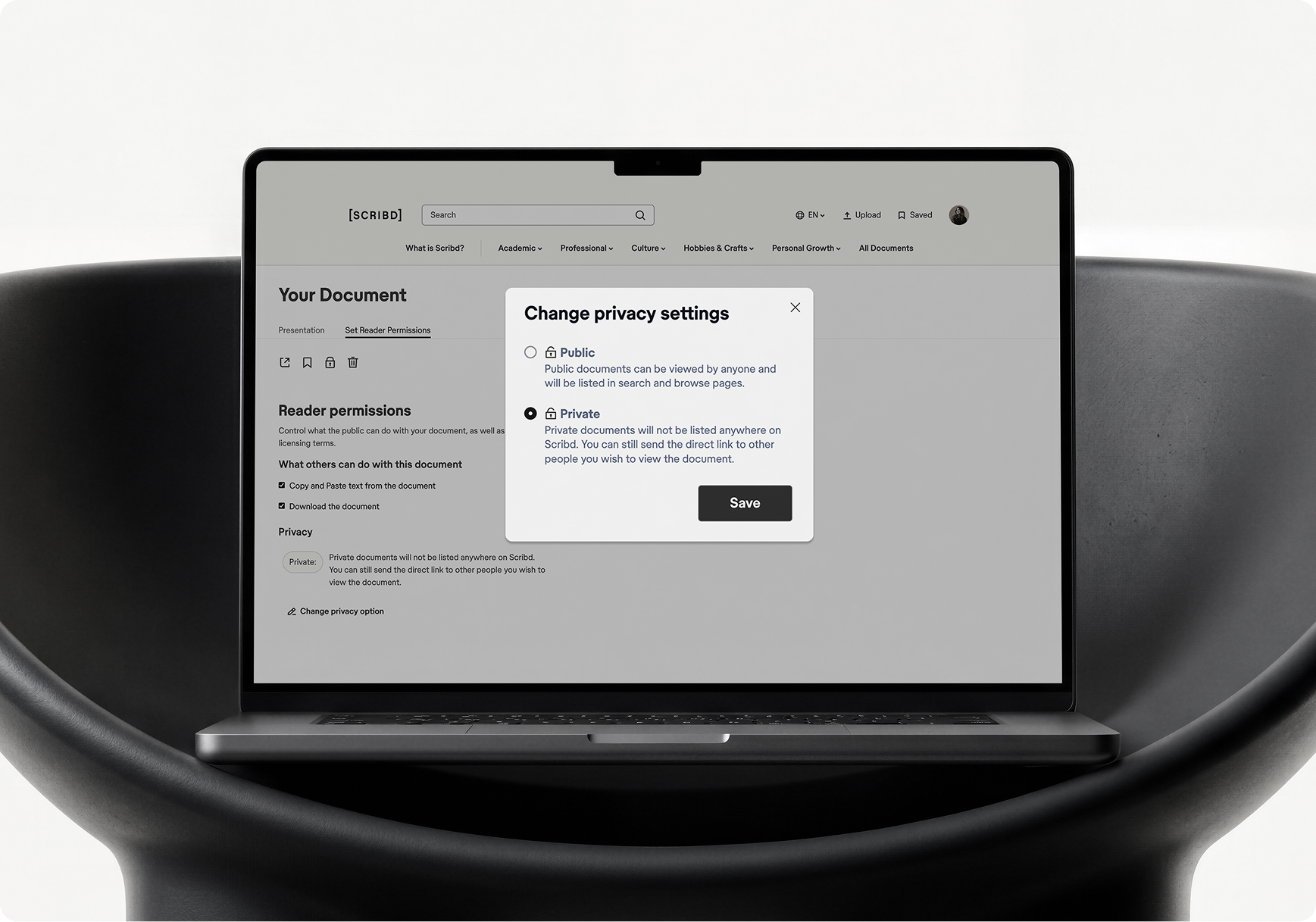
- You can also opt to edit a specific document. When within a document, select “set reader permissions” and click “change privacy option.”
- Choose “private” in the pop up window and hit save.
- As soon as you click save, the document’s privacy setting is updated to private immediately.
What does Scribd do with your personal information?
We collect information to provide and improve our services, including contact information, usage data, and device information. Payment information and financial details are collected by a secure third party payment provider. Scribd retains only limited transactional data. We do not sell your personal information to third parties.
For full details on what we collect, how we use it, and your rights as a user, read our Global Privacy Policy.
How we detect and remove violating content
We work hard to strike a balance between freedom of expression and the protection of privacy rights. Scribd uses a combination of community reporting features, automated content trust and safety tools, and human review to identify and address content that violates our terms.
When content that potentially violates our policies is flagged to us – whether by a user, our own detection systems, or an outside inquiry – we investigate, and when appropriate, we remove the violation.
While no system is perfect, we are always adapting to improve our content trust efforts.
What to do if your personal information appears on Scribd
If you believe your personal information has been posted to Scribd without authorization, reach out to us at privacy@scribd.com and our team will review it.
Advance human understanding.
Join our team.460 Bryant Street, #300
San Francisco, CA
94107-2594


460 Bryant Street, #300
San Francisco, CA
94107-2594